
Introduction to Report Explorer
Ready Pay comes with approximately 200 standard reports which have been designed to cover a broad range of requirements.
Ready Pay offers a number of solutions to provide additional reports.
The Advance Reporting module is used
to create additional reports in-house.
Custom-designed or enhanced reports
can also be commissioned from your Ready Pay Customer Success Manager.
Opening the Report Explorer:
In navigator select Report Explorer.
Types of Reports Available:
The left hand pane of the Report Explorer is used to access all reports:
- System Reports contains approximately 200 pre-installed reports, grouped by subjects such as Employee Reports and Historical.
- The User Reports folder is used to store any reports which may have been customised for your company.
- A recycle bin is used to store any deleted reports.
System reports
These reports are pre-installed in the Ready Pay Report Explorer.
They are grouped according to subject and include:
| Report Type | Details |
|---|---|
| Date Based | Employee birth and hired dates reports. |
| Employee Reports | This group contains reports on current employment conditions.
They are primarily based on the standard settings defined in each employee's
master file, and include reports such as:
|
| Enquiries | This folder is empty BUT contains a number of enquiry reports which
cannot be accessed through the Report Explorer. They can be accessed as employee or payrun enquiries. |
| Forms | This folder contains a software registration form for
use when registering or upgrading Ready Pay. This form can also be printed from the licensing section where it will automatically display details of all currently registered companies. |
| Framework Listings | This folder provides an overview of the company structure
and framework and includes reports for:
|
| Historical | These reports can all include
any grouping of past payruns and can be based on virtually any time frame
required. The report filter can be used to select various additional parameters such as specific employees, departments and pay points. Payruns which have been closed in the Payrun Wizard can still be reported from here. There are six sub-folders for historical reports:
|
| HR Reports | These reports all relates to employee criteria and content, such as events, skills, training, and positions. In addition the Table Listings folder provides information on the HR definitions set up in HR Framework. |
| Labels | Here you can print labels for mail-outs, badges or timesheets. The available reports cater for a variety of label sizes. |
| Leave Reports | These reports are based on leave accruals
or history, and can be based around leave
taken or last paid dates.
The leave movements report records every change to an employee's leave balances movements, and can be useful in solving queries on leave accruals. When running the leave history report, use the tree on the left to filter on pay item as required. |
| OHS Reports |
These reports are applicable if you are using the OHS module. They include Table Listings such as Committee Roles, Hazard Action Categories, Incident Types, Injury Types, and OHS Roles. |
| Pay Advices | Use this group to print payslips from one selected payrun or week number.
You will only be able to select those payruns which have not yet been closed in the Payrun Wizard. These pay advices can be reprinted from Pay advice Reprint in the historical folder. |
| Payrun | This structure is similar to historical reports but only those payruns
which have not yet been closed
in the payrun wizard can be selected. In addition, only one payrun at a time may be selected. Reports include costings, audit reports, salary, pay items, deductions, as well as superannuation and taxation reports. |
| Report templates |
This is a group of reports to use as templates for new reports created with the Advance Reporting module. They contain only the basic layouts and formatting of standard reports and do not display any data. |
| Tax office | This folder contains a selection of reports
and forms that are required throughout the year. This includes STP 2 Reporting. |
| Validation tables | These reports list entries defined in the validation
tables section of the payroll framework. Also provides two User Defined Fields reports - one for UDF Lookups and one for User Defined Fields. |
| Web reports | Not currently in use. |
User reports:
Any custom-designed or modified reports are stored here. If you are
using the Advance Reporting module,
you can drag any existing report to the User Reports folder, where it can be modified.
One standard User Report is provided ('FavourImport'), which provides a line-by-line listing of employees'
contact details.
 If you require a modification but do not have the Advance Reporting module, you can contact the
Favourite Reports
Reports which are run frequently can be added to the Favourites folder, which is easily accessible from the Ready Pay Ribbon 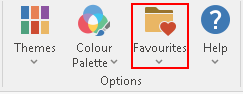 .
.
This saves you time and effort, as the report is available in a couple of mouse clicks, rather than opening the report explorer and searching for the report each time you need it.
For further information see "Adding a report to Favourites:".
See the following pages for more Report Explorer information:
Split Options
Previewing and Sending Reports
The Optional Report Writer Feature